
BestCrypt Data Shelter
Policy-Based Data Access Control to Protect Sensitive Files from Unauthorized Use & Ransomware
Control Access to Sensitive Files
Enforce Access Control Policies
Block Unauthorized Applications

Explore BestCrypt Data Shelter Features
A closer look at how BestCrypt Data Shelter controls access to sensitive files, including language options and system requirements.
Custom Protection Policies
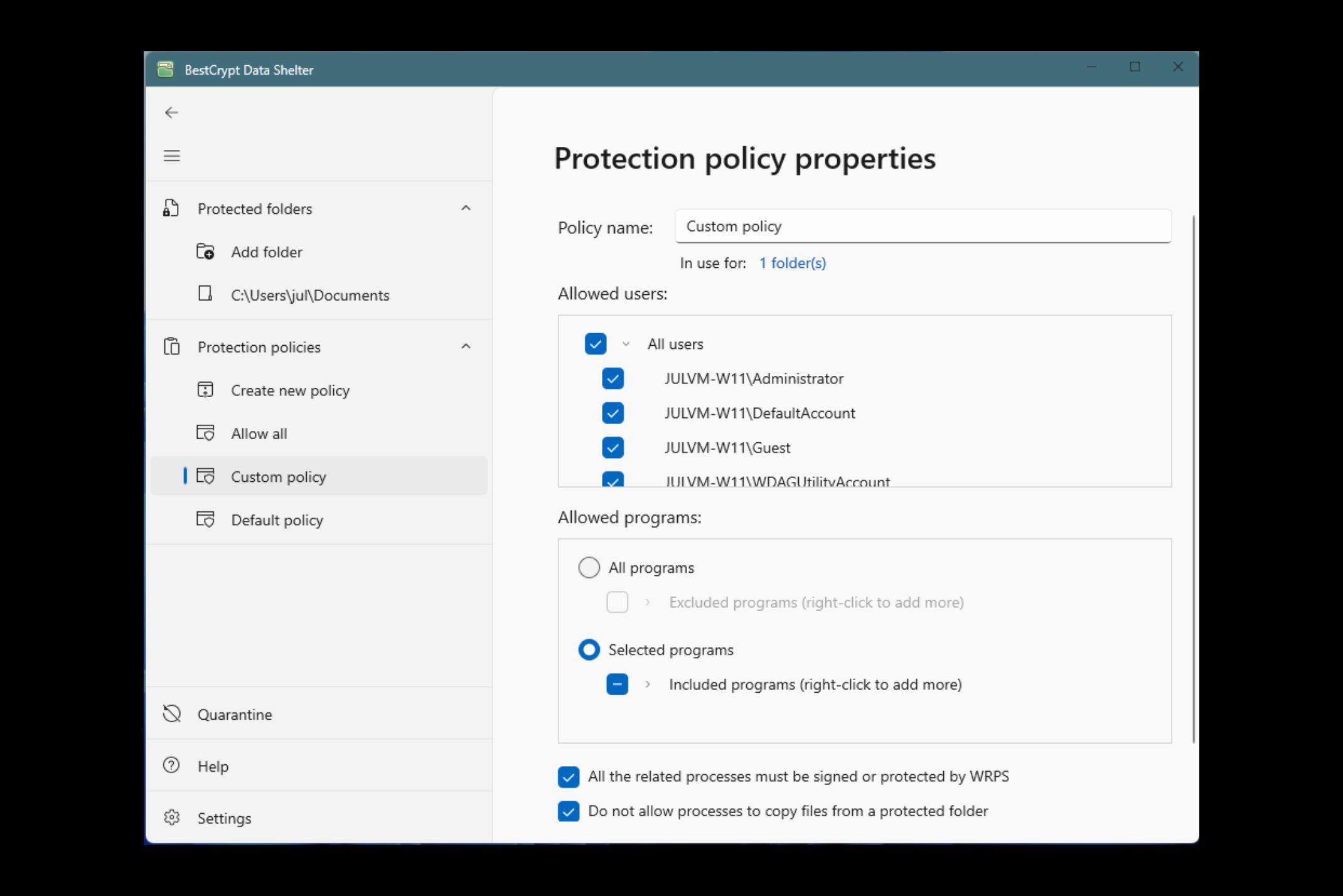
With BestCrypt Data Shelter, users can create custom protection policies for any folder, deciding exactly which programs and users can access the contents. Configure access manually for full control, or rely on Data Shelter to automatically register trusted programs based on usage history.
Once a policy is applied, the folder is blocked from unauthorized users and applications, preventing modifications, leaks and tampering.
Enhanced Malware & Ransomware Protection
Safeguard your data from advanced threats with built-in defenses against malware and ransomware. BestCrypt Data Shelter continuously monitors protected folders for suspicious activity, offering proactive protection by stopping malicious processes before they can compromise sensitive information.
Central Management
Available with the Enterprise Extension and Enterprise tiers.
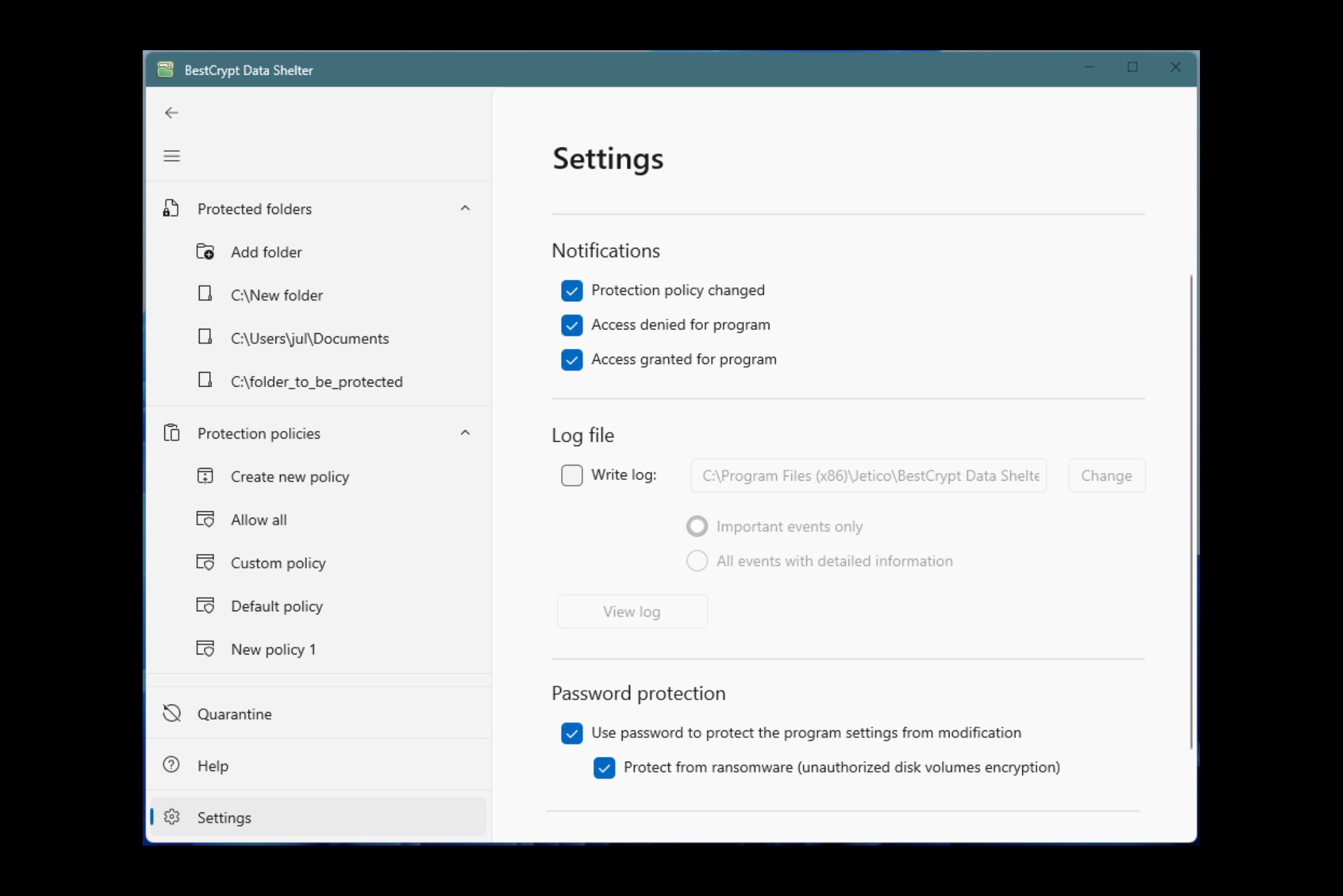
Centrally define and enforce protection policies across endpoints, without configuring each machine one by one. From a single console, administrators can create, distribute and update access control policies across teams, departments and locations, with changes rolling out instantly.
The same console connects to Jetico’s AI-powered BCWipe Search for data discovery and classification, so security teams can identify sensitive data, classify what needs additional protection and apply targeted access policies through one interface – a foundation for compliance and audit-ready data governance.
Apply for the pilot
English
If you would like to translate BestCrypt Data Shelter into your native language, contact us.
BestCrypt Data Shelter supports the following operating systems:
Windows
Windows 11
Windows 10
Windows 8/8.1
Windows 7
Windows Vista
Windows XP
Windows Server 2016
Windows Server 2012
Windows Server 2011
Windows Server 2008
Windows Server 2003
(32- and 64-bit versions, unless stated otherwise)
Discover All Functionalities of BestCrypt Data Shelter
Review the full range of features behind BestCrypt Data Shelter’s access control engine:
Default-Deny Access Model
Only explicitly permitted users and applications can reach protected folders. Every other access attempt is blocked automatically, the foundation of file-level zero trust.
User- & Application-Based Rules
Define exactly which users and applications can interact with protected folders for granular control.
Suspicious Encryption Activity Detection
Detect attempts to encrypt protected files or disk volumes, a key signature of ransomware. Suspicious activity is blocked and reported in real time.
Quarantine for Changed Executables
Detect modified executable files that try to access protected folders. Suspicious programs can be quarantined until reviewed, stopping attacks before they reach sensitive data.
Policy Creation from Real Activity
Build protection policies based on observed file types, folder access history and local configuration.
Activity Log Monitoring
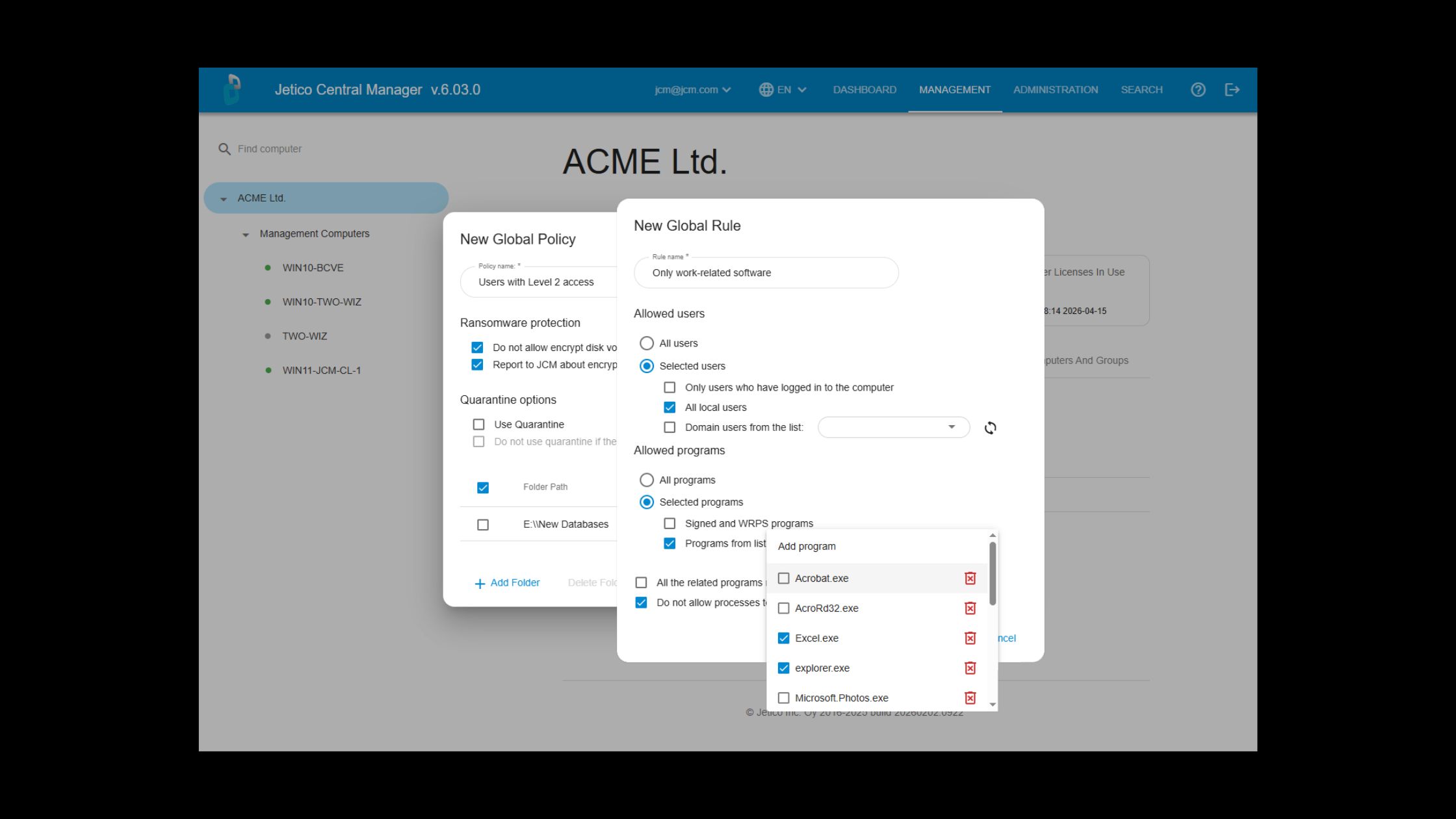
Review access events, including policy changes, access denied events and access granted events. A complete audit trail for compliance and investigation.
Password-Protected Settings & Policies
Restricts access to protected folders even if an attacker gains administrator credentials. Protection policies can’t be bypassed without the right password, so ransomware and unauthorized users can’t modify protection settings or disable access controls.
Encrypt Drives with BestCrypt Volume Encryption
BestCrypt Data Shelter integrates with BestCrypt Volume Encryption. Easily view whether protected folders reside on encrypted volumes and, if needed, secure the underlying disk with a single click using the ‘Encrypt’ button.
News & Blogs
Stay updated with the latest news, insights, trends and expert tips on data protection and cybersecurity.
Check back here regularly for news and blogs